Founder strategy & coaching / Kajabi

VENTURE Studio

A considered studio for your learning experience.

Explore the full screen gallery ↗

Design previews show a styled example with sample imagery and content. Feature walkthrough shows original theme screenshots. Logo, colors, fonts, imagery and content are editable.

Inside VENTURE Studio

Know what comes with your design.

Created together by Course Setup Online and PR Tech Solution. Explore the design here; purchase and checkout take place on Etsy.

01

What’s included

The full VENTURE Studio course theme, custom coded for Kajabi, with every screen your students touch:

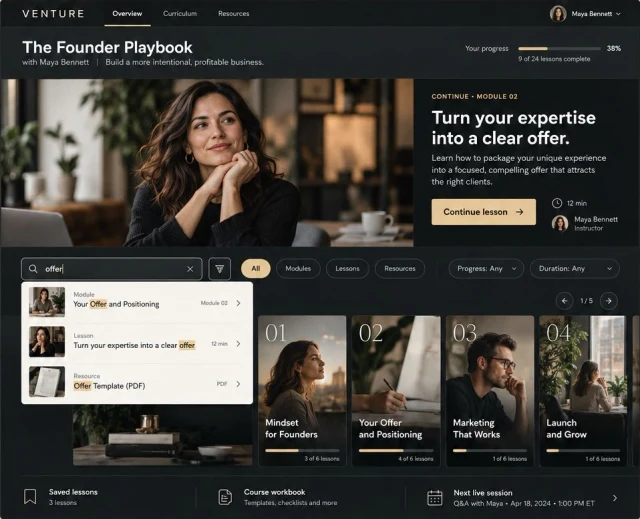
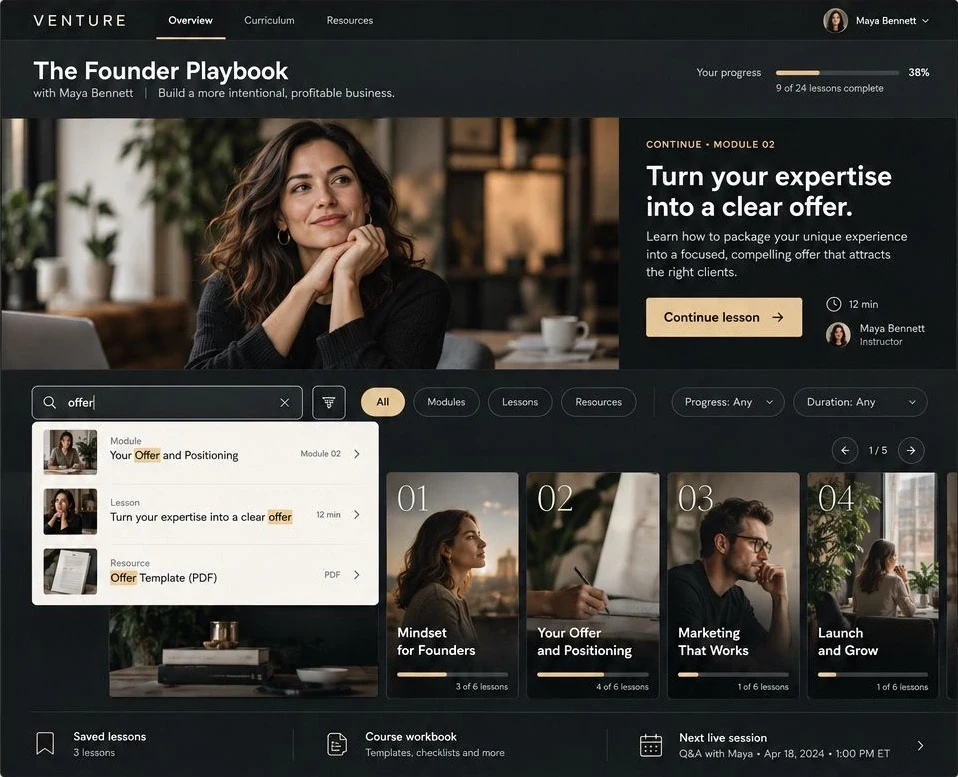
  • Course Home: a split-screen overview with a large feature image and a "continue where you left off" card.
  • Curriculum Page: your modules shown as large, numbered editorial cards with images and progress.
  • Lesson Experience: a focused lesson page with Overview, Resources, and Discussion tabs.
  • Course Search: a search bar with All, Modules, Lessons, and Resources filters, plus Progress and Duration sorting.
  • Course Progress Path: a visual module path so students always see where they are.
  • Saved Lessons: a dedicated space for students to bookmark sessions to return to.
  • Course Resources: a downloads page for your workbook, templates, and checklists.
02

The course experience

Most Kajabi course areas drop your students into a plain list of modules and lessons. VENTURE Studio gives them a designed studio instead:

  • A split-screen course home with a one-click continue-lesson card.
  • A live progress tracker with a completion bar and a lessons-complete count.
  • Large, numbered module cards with their own images and per-module progress.
  • A lesson experience with Overview, Resources, and Discussion tabs.
  • Course search with Modules, Lessons, and Resources filters.
  • A visual course progress path across your modules.
  • Saved lessons and a member library link, styled to match.
03

The aesthetic: Black and Gold

  • Vibe: Considered, editorial, premium, grounded.
  • Best For: Coaches, course creators, and experts who want a refined, high-end look.
  • The Feel: Rich black and warm gold, generous spacing, and type that feels expensive.
04

Thoughtfully designed, ready to personalize

This is not a default Kajabi skin. VENTURE Studio is custom coded, so the course home, module cards, search, and lesson pages are shaped and styled beyond what the standard editor offers. Your students get a premium, cohesive experience, and you never touch a line of code.

05

Perfect for

  • Coaches and consultants with a signature program or membership.
  • Course creators who want their course area to look as premium as their offer.
  • Founders and experts selling strategy, systems, or training.
  • Anyone relaunching a course that currently looks like default Kajabi.
06

Made for Kajabi

  • Platform: Exclusively for Kajabi. A Kajabi subscription is required.
  • Custom-coded course theme, ready to load into your Kajabi site.
  • Mobile Responsive: Looks sharp on phone, tablet, and desktop.
  • No Code Needed: All custom styling and animation is built in. You add your text, photos, and brand colors.
Explore Kajabi — partner link ↗
07

From download to launch

Your setup guide takes you through each step.

  • Purchase this listing on Etsy.
  • Instantly download your setup guide and your theme download link.
  • Upload the theme to your Kajabi account. The guide shows you exactly how.
  • Add your brand and content, then set your course live.
Before & after

See what your
design can become.

Explore the difference between the starting Kajabi layout and VENTURE Studio. Your logo, colors, fonts, images and content make it yours.

Before

Kajabi starting layout

Course · Original screenshot supplied by the creator

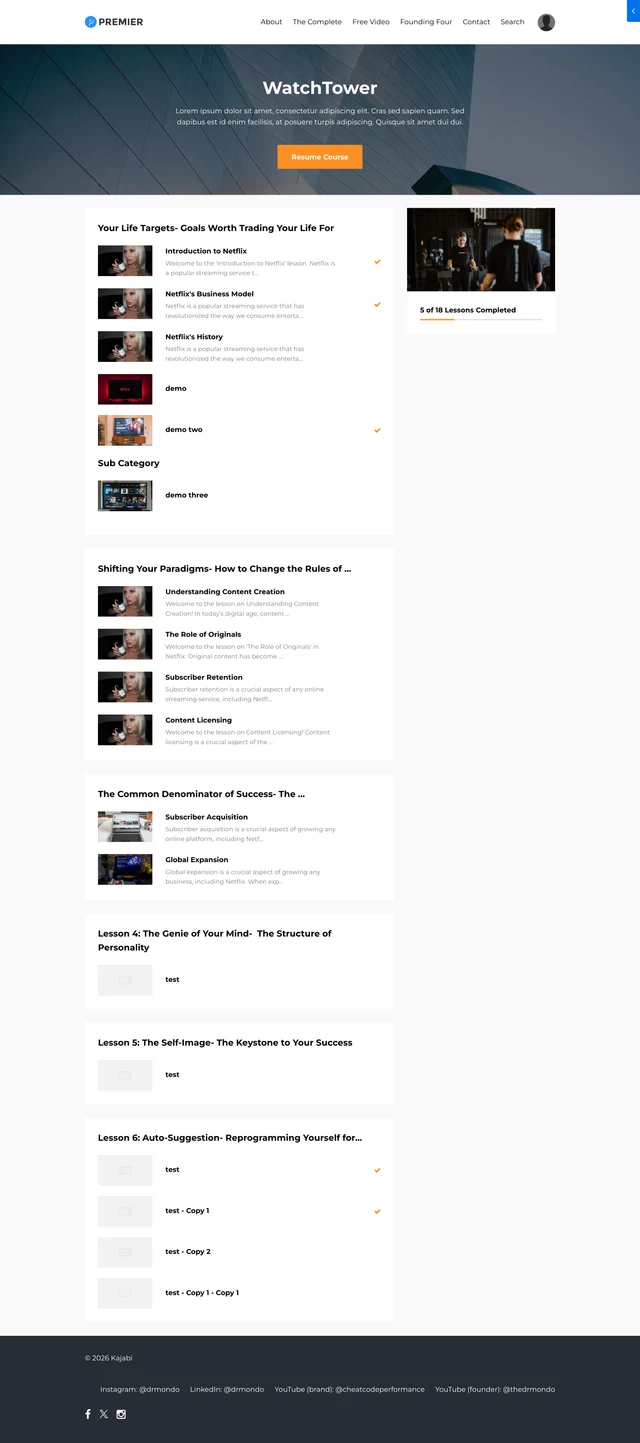
Creator-supplied screenshot of the default Kajabi course layout

The starting layout, shown exactly as supplied.

After

VENTURE Studio

Designed by PR Tech Solution

VENTURE Studio full template design

A distinctive experience for your brand and your students.

Design comparison with different sample content. Both layouts are customizable. Hover or scroll to explore each page.

Explore the complete design ↗
Your brand, every detail

One design. Your own direction.

Change the logo, colors, font family, images and content. Build a home for your yoga practice, therapy education, fitness coaching or your own expertise.

What you are viewing

Explore the design, up close.

Design previews show how a theme can look with coordinated sample imagery and content. Feature walkthrough contains the original theme screens. Use Expand to inspect the details. LaunchLab website pages are interactive.

We can make it yours.

From changing your imagery to setting up a complete website, choose the support that fits your launch.

Discuss customization ↗

Product questions.

What does this preview show?

The Founder Playbook, Turn expertise into an offer, Course home, Course search, Lesson experience, Course progress path, Saved lessons. These are visual feature previews; member login, lesson completion and purchases are not processed here.

Can I edit the theme to match my brand?

Yes. The styling and animation are already built in. You can add your text, photos and brand colors without writing code.

Where do I purchase?

Select Buy on Etsy to open this theme’s listing in the CourseSetupOnline shop. Checkout and digital delivery take place on Etsy.

What does the license cover?

Your purchase grants you a license to use this theme for ONE course setup (either your own or one client project). For use across multiple client projects, contact CourseSetupOnline on Etsy about an Extended Commercial License.

Can I return a digital template?

Due to the digital nature of this product, all sales are final. If anything comes up, contact the shop through your Etsy purchase for help.